
Email deliverability guide 2026
The 7 rules for cold email deliverability from our own sending stack: SPF, DKIM, DMARC, warmup, volume ramps and the metric that actually counts.
Deliverability is decided before your copy is read
The best subject line is worthless if the email lands in spam. That is the most expensive blind spot in B2B outbound in 2026: teams optimise wording and sequence while the actual cause of a two per cent reply rate is a delivery problem. Burned domains, inboxes in an error state, bounce rates past the pain threshold.
This guide is not based on best-practice blog posts but on live data from our own sending stack: 47 campaigns, 87,253 cold emails sent to 27,829 contacted leads, at a bounce rate of 3.08 per cent across 100 sender inboxes and 34 domains. What follows are the seven rules that carry that operation.
The principle: deliverability is a subtraction game
Everything that makes an email look like bulk sending costs deliverability. You do not win through clever additions but through consistent omission. Each of the rules below removes a spam signal a filter would otherwise see.
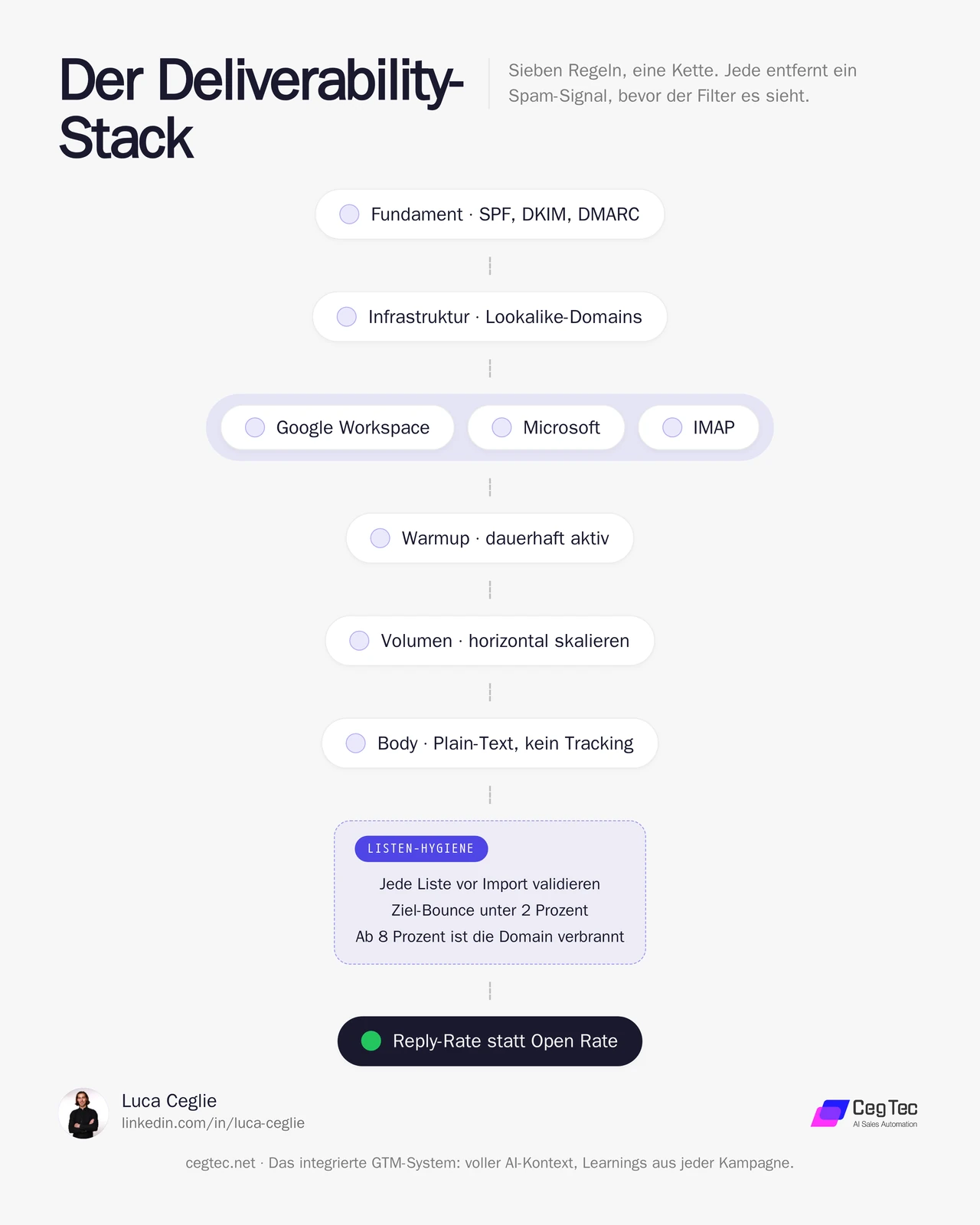
The chain reads top to bottom: foundation first, then infrastructure and provider mix, then operations, and finally the metric. No step replaces another; each removes its own spam signal.
1. The technical basis: SPF, DKIM, DMARC
Without clean DNS authentication, every further optimisation is ineffective. For every sending domain these are mandatory:
- SPF defines which servers may send on your behalf.
- DKIM signs every email cryptographically so the recipient can verify authenticity.
- DMARC ties both together and tells the recipient what should happen on failure. Set at least
p=quarantine.
Do not set up a custom tracking domain at all. It is an additional, checkable signal that only creates attack surface and brings no delivery advantage.
2. Domains and inboxes: redundancy beats perfection
Never send from your main domain. Our structure: 34 lookalike domains with three to five inboxes each. If a domain dies, at most five inboxes are affected and the campaign continues on the rest.
How normal failure is at this scale shows in an honest look at our own operation: 25 of 100 accounts are in an error state at any given moment. That is why redundancy is not a nice-to-have but the foundation. Anyone betting everything on a few perfect inboxes has no buffer when a provider changes its algorithm.
Mix the providers as well. Our 100 inboxes split across 44 Google Workspace, 40 Microsoft and 16 IMAP. On the recipient side the same two providers dominate, and delivery from Google to Google or Microsoft to Microsoft is structurally better. The mix additionally spreads the risk when one provider changes its filtering logic.
3. Warmup: always running, including on active accounts
Warmup is not a one-off step before launch but continuous operation. With us, all 100 accounts have warmup active, not just the new ones. Warmup traffic keeps an inbox’s engagement signals stable even while a campaign is paused.
For new inboxes: three weeks of warmup before the first campaign send. Never switch warmup off afterwards.
4. Volume ramps: scale horizontally, never vertically
The most common mistake when ramping up is more volume per inbox. That is exactly what burns domains. New accounts start at around 20 emails per day including warmup; established ones sit at an account limit of about 100 per day.
The campaign itself sends more conservatively than that limit: around 15 real cold emails per inbox per day. If you want more reach, add inboxes, not volume. Thirty inboxes times fifteen emails gives 450 clean sends per day without any single inbox standing out.
5. The email body: no tracking, no links
Two of the loudest spam signals sit in the body itself:
- No open tracking. The embedded tracking pixel is easy for filters to detect. The upside: open rate does not exist as a metric for us at all. You would be measuring the wrong thing anyway (more on that below).
- No link tracking and no links in the body. No calendar link, no “learn more”, no signature banners. Whoever replies gets the link in the reply, from a human or an approved draft. It feels like a lost conversion and is simultaneously the single biggest deliverability lever.
Then there is the form: plain text instead of HTML, at most around 90 words, no typical filter words like “free”, “guaranteed” or “offer”, no blocks of capitals, no multiple exclamation marks. If you generate copy with a language model, a negative list of those terms belongs permanently in the prompt so the rule applies to every personalised email.
6. List hygiene: the underrated factor
Your technically cleanest infrastructure is worthless if you send to dead addresses. The difference is dramatic. Two campaigns from the same workspace, with the same domains and the same setup:
| Campaign | Bounce rate |
|---|---|
| Validated list | 0.4 % |
| Unvalidated import | 7.7 % |
That is a factor of roughly 19, purely from email validation before import. Market context in the DACH region: domain damage begins at around five per cent bounce, and at eight per cent a domain is practically burned. So validate every list before import, targeting a bounce rate below two per cent.
7. Monitoring: measure replies, not opens
Open rates are a vanity metric in 2026 that actively costs you deliverability through the tracking pixel. What we measure instead:
- Unique replies per contacted lead. Our average is 3.9 per cent, the best campaign 11.9 per cent, carried by a regional, sharply defined target profile.
- Qualified and positive replies, classified and approved before sending.
- Opportunities, i.e. replies with genuine buying interest.
- Bounce rate as an early warning system. Alarm above three per cent, before damage occurs.
The point behind rule 7: reply rate is not only your success metric but also your health metric. Optimise for replies instead of opens and you automatically build the cleaner campaigns.
Two prompts for your stack
Two of the seven rules can be captured as reusable prompts: the technical basis (rule 1) and the operation of new inboxes (rules 3 and 4). Both are deliberately generic. Copy them, fill in your domain and your target volume, done.
1. DNS check: verify SPF, DKIM, DMARC
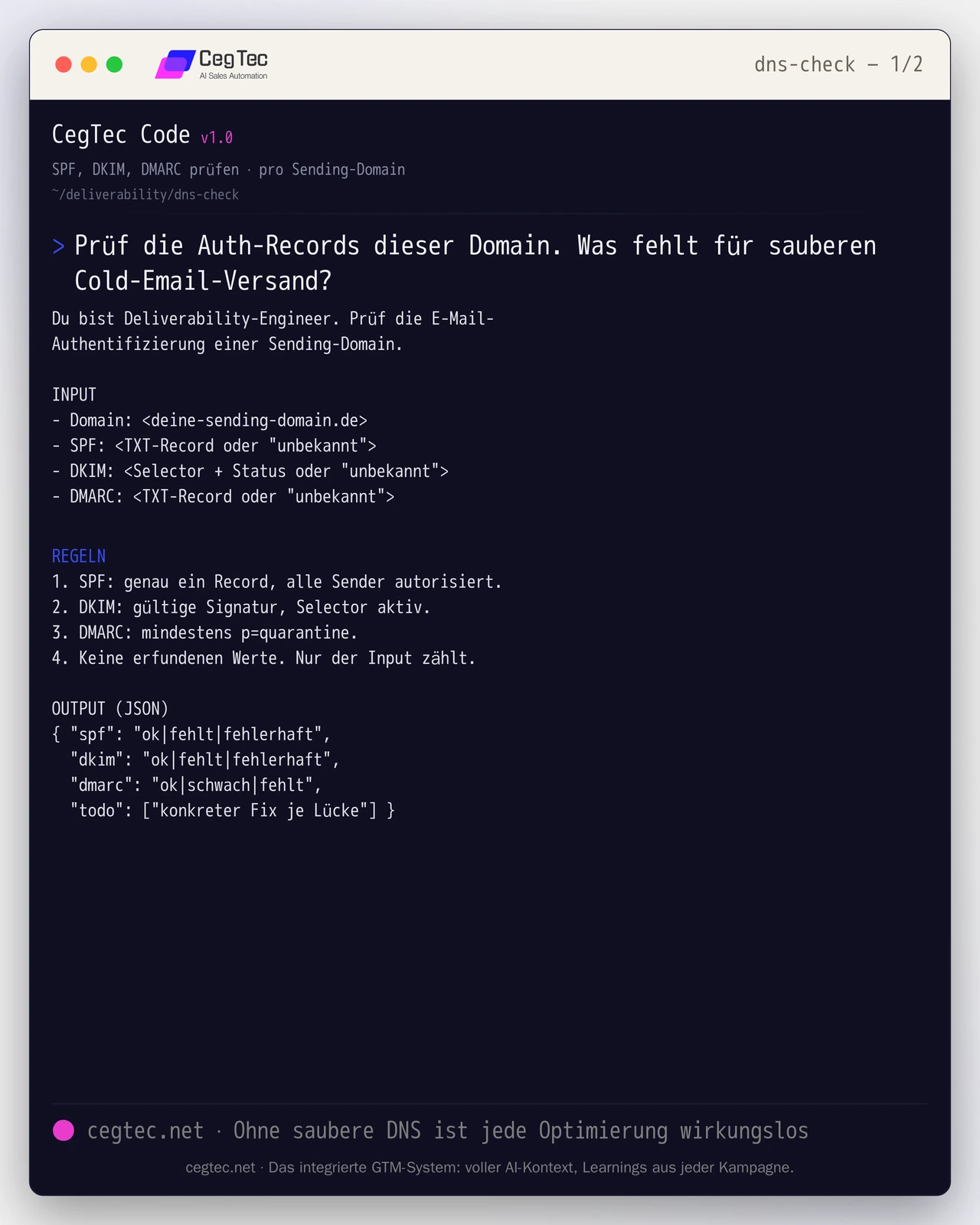
How to use it: enter the existing TXT records per sending domain, give the prompt to a language model, and work through the todo list until all three records read ok. The prompt invents no values; it only assesses the input.
You are a deliverability engineer. Check the email authentication of a sending domain.

INPUT
- Domain: <your-sending-domain.com>
- SPF: <TXT record or "unknown">
- DKIM: <selector + status or "unknown">
- DMARC: <TXT record or "unknown">

RULES
1. SPF: exactly one record, all senders authorised.
2. DKIM: valid signature, selector active.
3. DMARC: at least p=quarantine.
4. No invented values. Only the input counts.

OUTPUT (JSON)
{ "spf": "ok|missing|broken",
  "dkim": "ok|missing|broken",
  "dmarc": "ok|weak|missing",
"todo": ["concrete fix per gap"] }2. Warmup and volume schedule
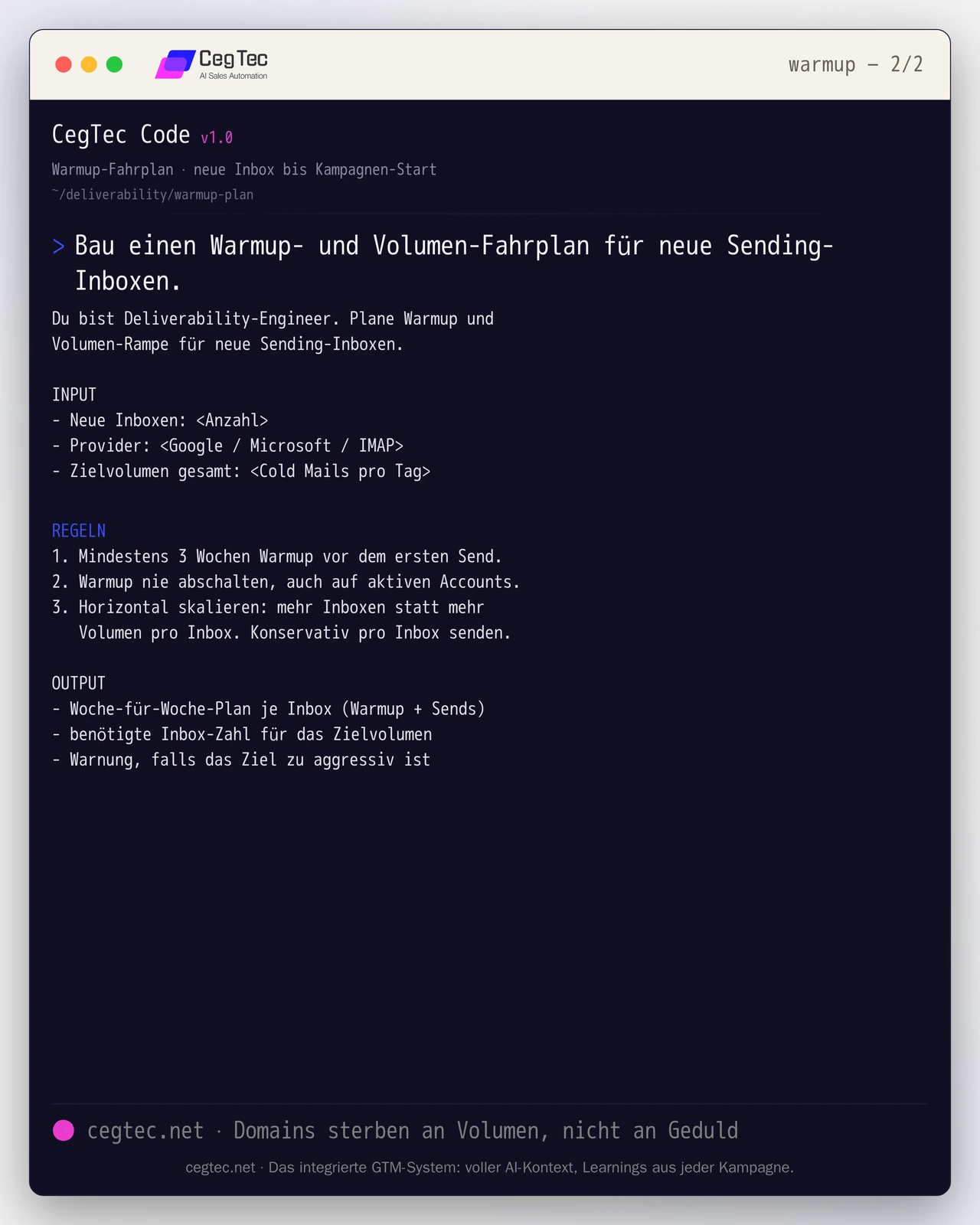
How to use it: state the number of new inboxes, the provider and your target volume. The prompt calculates back how many inboxes you need for the goal and warns you if you exceed the clean threshold per inbox. Stick to the weekly plan and never switch warmup off afterwards.
You are a deliverability engineer. Plan warmup and volume ramp for new sending inboxes.

INPUT
- New inboxes: <count>
- Provider: <Google / Microsoft / IMAP>
- Total target volume: <cold emails per day>

RULES
1. At least 3 weeks warmup before the first send.
2. Never switch warmup off, including on active accounts.
3. Scale horizontally: more inboxes instead of more volume per inbox. Send conservatively per inbox.

OUTPUT
- Week-by-week plan per inbox (warmup + sends)
- required inbox count for the target volume
- warning if the target is too aggressiveSpam or inbox: what separates two setups
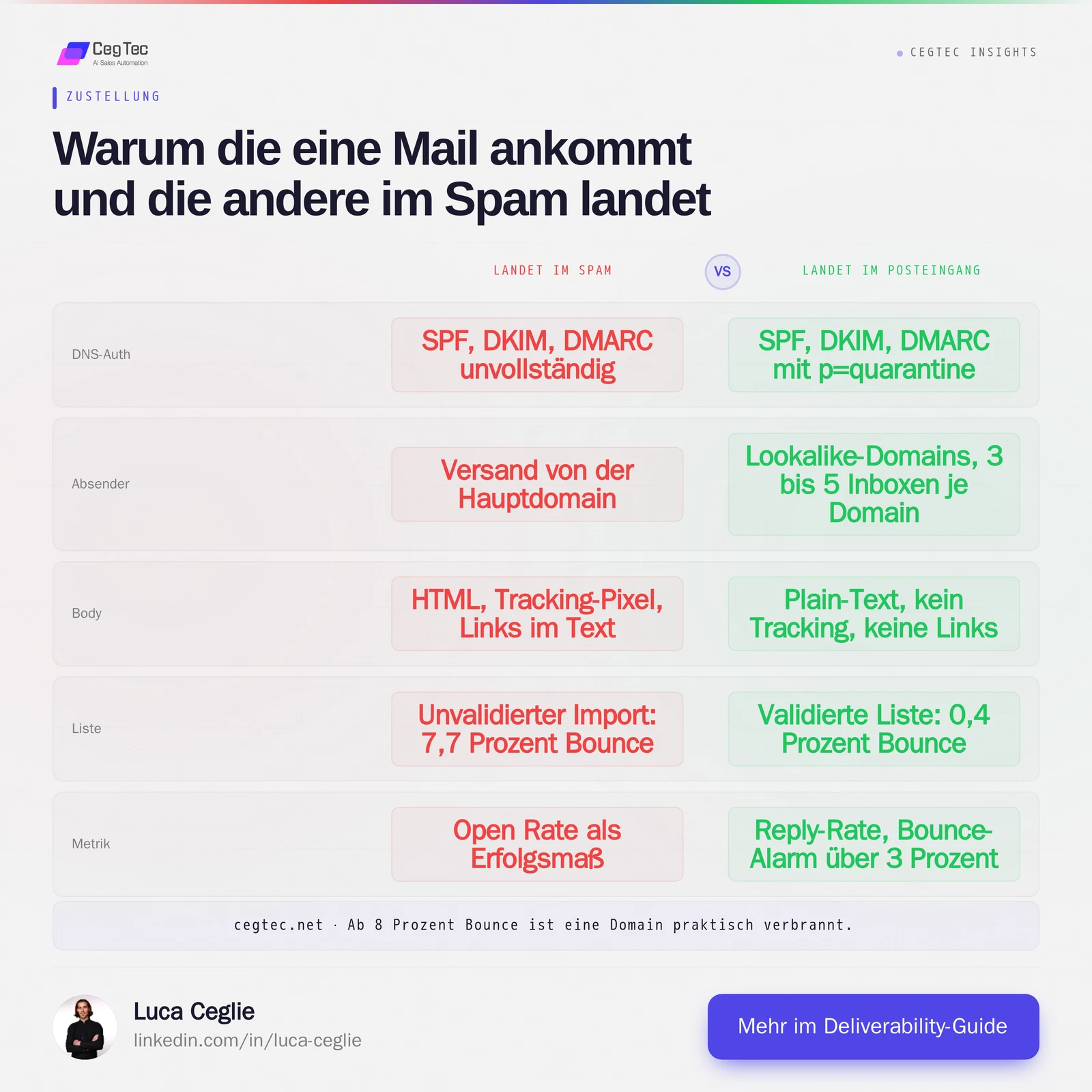
Two almost identical setups, a different outcome: the right-hand column is the sum of the seven rules, the left one every omission you skip. This is exactly where it is decided whether your copy gets read at all.
How to generate pipeline with this (in the GTM stack)
Pipeline does not come from a single tool but from several roles in the stack working together. With deliverability this is especially visible: it is the foundation that lets the sends which actually create pipeline arrive in the inbox at all. These roles interlock:
- Signal and data: which accounts get contacted at all, including trigger and priority.
- Enrichment and validation: check addresses and clean lists before import so the bounce rate stays low.
- Orchestration and decision: when which inbox sends, when a domain pauses, when to ramp up conservatively.
- Sending via email and LinkedIn: the channel on which the message is actually delivered.
- CRM: replies, status and history in one place.
What matters is less the individual tool than a layer connecting these roles into one process with one metric — here, the delivered, replyable email. A category-agnostic orchestration layer such as GTM Goat can take that role and address the others by category: you connect your sender, your enrichment and your CRM instead of replacing them. Stack freely selectable, funnel singular.
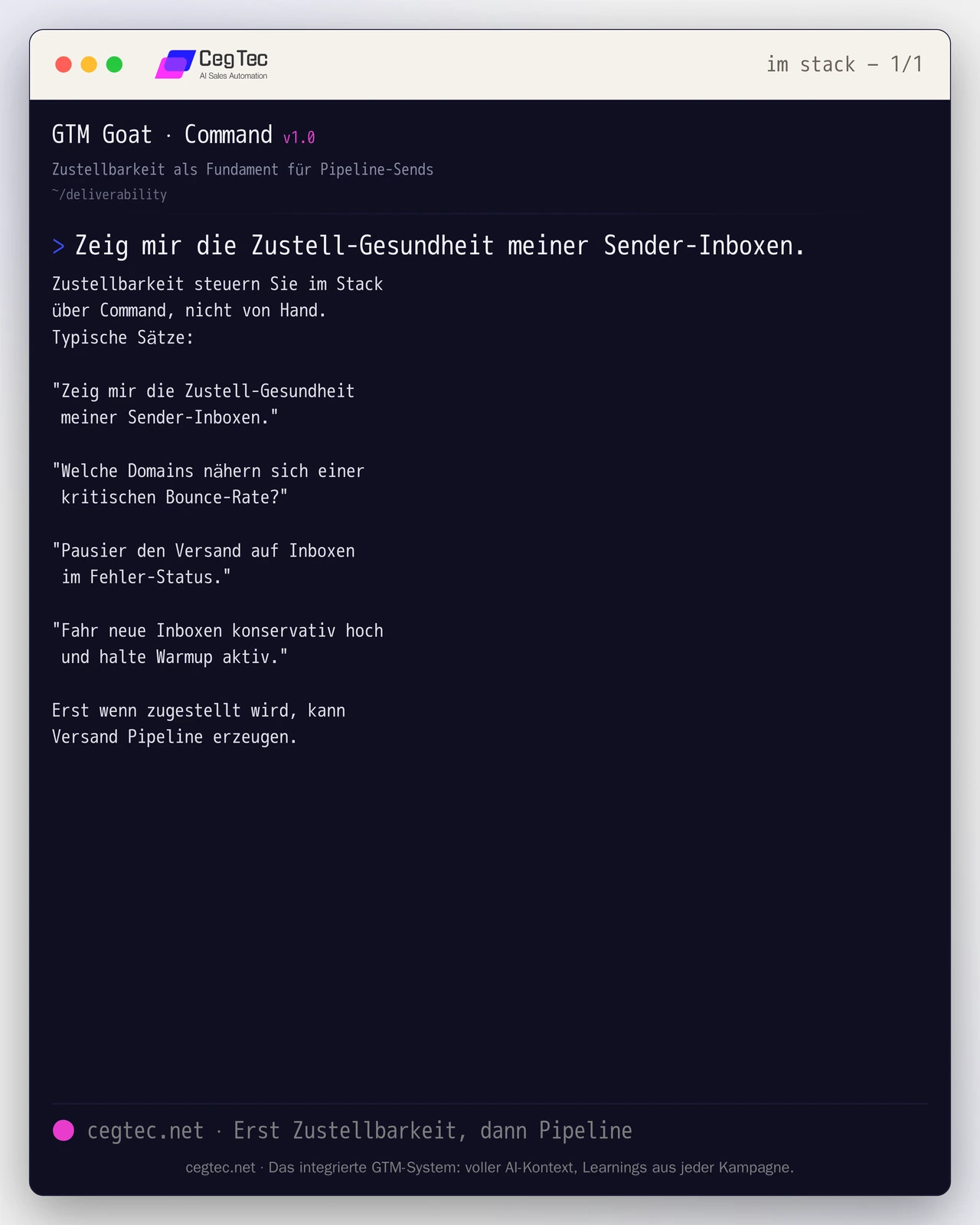
Here is how you run it in the stack: you steer deliverability through the Command interface, not by hand. A few sentences, ready to type:
"Show me the delivery health of my sender inboxes."
"Which domains are approaching a critical bounce rate?"
"Pause sending on inboxes in an error state."
"Ramp new inboxes up conservatively and keep warmup active."The quickstart shows how to get started.
Checklist to take away
- SPF, DKIM and DMARC (at least
p=quarantine) set per domain, no custom tracking domain - Lookalike domains instead of the main domain, three to five inboxes per domain
- Providers mixed: Google, Microsoft, IMAP
- Warmup three weeks before the first send, never switched off afterwards
- Scale horizontally: around 15 campaign emails per inbox per day, more inboxes instead of more volume
- Open tracking and link tracking off, no links in the body
- Plain text, under 100 words, spam-word negative list in the copy prompt
- Validate every list before import, target bounce below two per cent
- The KPI is reply rate, not open rate, with a bounce alarm above three per cent
These seven rules are not a project but continuous operation: domains rotate, inboxes fail, providers change their filters. CegTec builds and runs exactly this delivery stack as a system so your campaigns arrive instead of disappearing into spam. If you want to put your outbound on this foundation, take a look at GTM Goat or talk to us.
Next step
GTM Goat runs exactly what you just read.