
LinkedIn keyword monitoring & warm outreach
Detect buying signals on LinkedIn in real time and approach only people publicly showing interest right now: the method for warm instead of cold outreach.
Cold lists ignore whoever is showing interest right now
Classic LinkedIn outbound works through bought or scraped lists: the same sequence to everyone, regardless of whether the person has a problem right now. It works because volume works. But it ignores the most valuable signal LinkedIn makes freely available every day: people publicly talking about exactly your topic.
Whoever comments under a competitor’s post, asks a question about your product category, or likes a post about their pain point is a better lead in that moment than any entry in a cold list. Keyword monitoring inverts the logic: instead of working through names, you watch the feed for buying signals and approach only those who have just shown relevance. Warm instead of cold.
For context, the most solid published figure we have is in the ProSeller case study: across 2,777 decision-makers contacted, the acceptance rate was 29.5 per cent, and 70 per cent among leads who had previously interacted with a post. Signal-based warm outreach builds on that base: smaller volume but markedly higher relevance per contact.
Why signals beat lists
A cold list tells you who someone is. A signal tells you what is on their mind right now. That difference decides the reaction: a message referring to yesterday’s comment reads as attentive. The same message to the same person from a bought list reads as arbitrary.
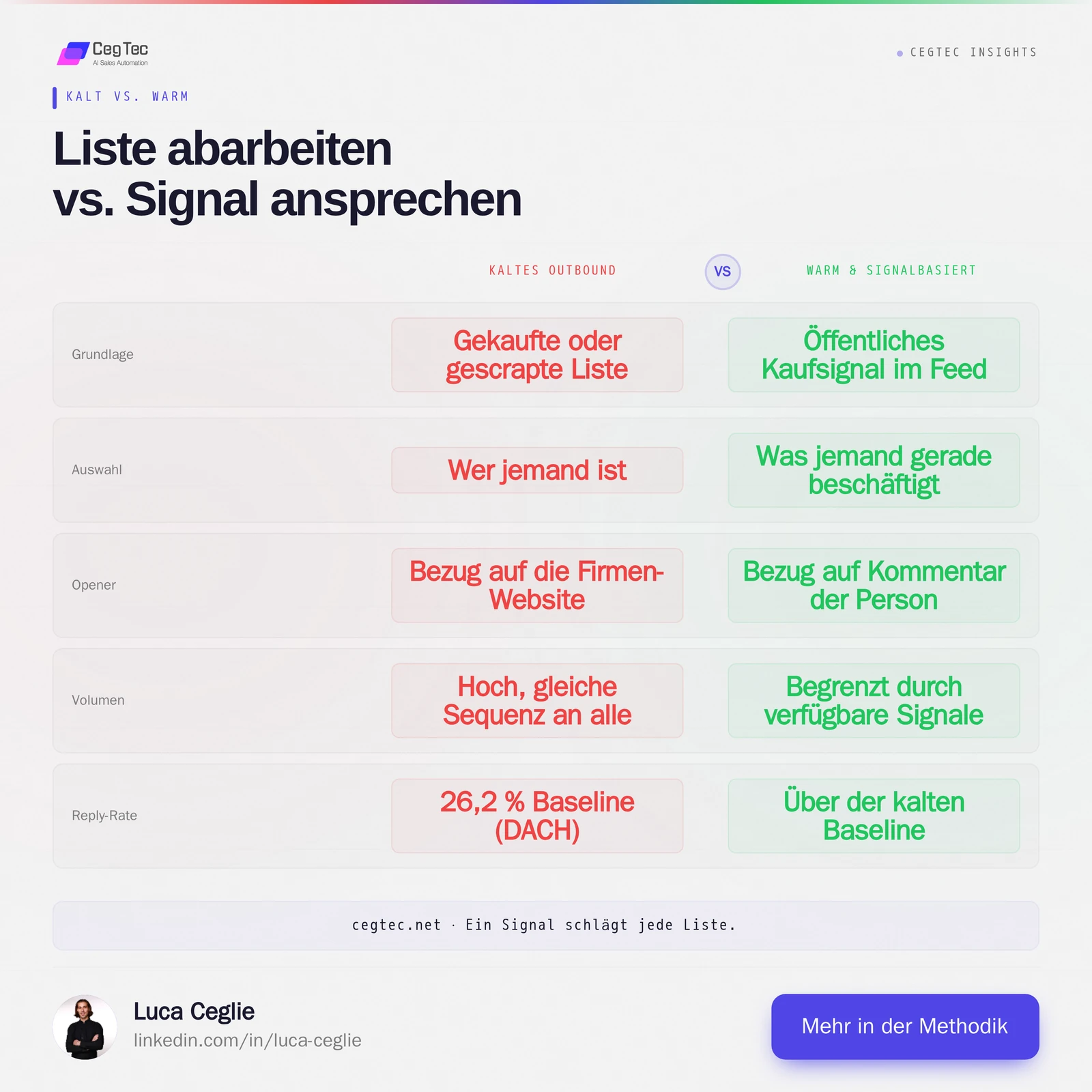
The price of that relevance is volume. On any given day there is only a limited amount of fresh signal on your keywords. Warm outreach therefore does not replace cold outbound; it adds the conversations with the highest probability of closing. The five steps below describe the method.
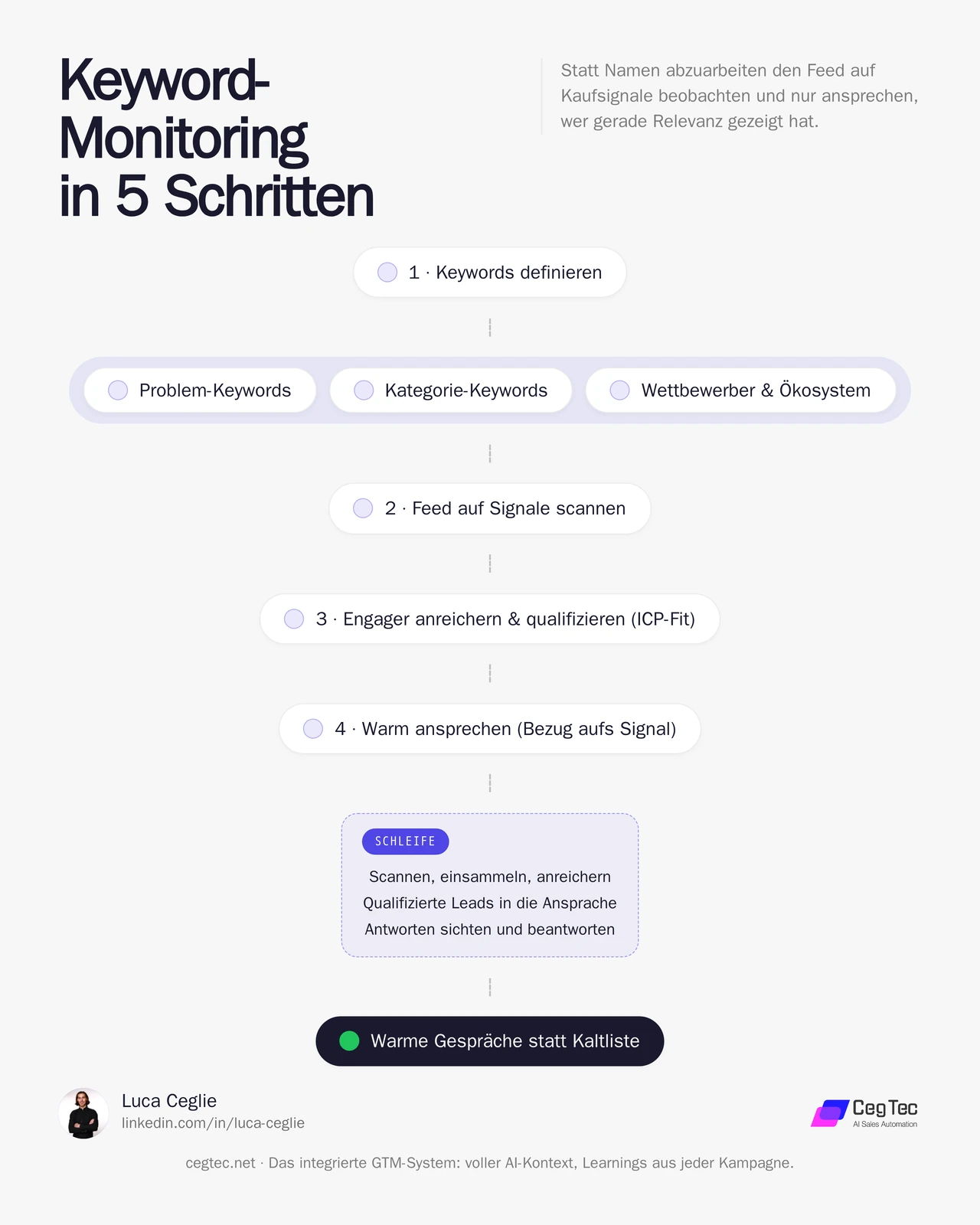
Step 1: Define keywords
Everything starts with the right terms. Three keyword classes with roughly five to ten terms each have proven themselves:
- Problem keywords. How your audience describes their pain in their own words, e.g. “cold email doesn’t work anymore” or “hiring an SDR”. These are the most honest signals because they are phrased from the buyer’s perspective.
- Category keywords. Your product category and its synonyms, e.g. “GTM automation”, “outbound agency” or “AI SDR”.
- Competitors and ecosystem. Names of vendors or thought leaders whose audience overlaps with yours. Anyone following their content is already in the market.
This list is not a setup step but a living document. Terms producing many irrelevant hits get removed; new phrasings get added as soon as you see how your audience actually writes.
Step 2: Scan the feed for signals
In the second step, keywords become a recurring observation process. Technically this requires a real LinkedIn account addressable through an integration layer. Providers in this category supply exactly that: they connect an existing account so search and feed can be evaluated programmatically without a human scrolling permanently.
The scan looks for posts matching the defined keywords and evaluates them on two levels:
- Post level. Is the post relevant to the topic, or just an accidental keyword hit?
- Engagement level. The real gold lies not in the post’s author but in the people reacting to it. Whoever comments has an opinion on the topic and is therefore a stronger signal than someone who merely likes.
At the end of this step you have a list of people who have publicly expressed themselves on your topic, each with the context of which post and which keyword it came from.
Step 3: Enrich and qualify
An extracted engager initially provides only name, headline and profile URL. Before that becomes outreach, an enrichment step turns the raw data into a scored lead:
- Resolve the company. From headline and profile, the company and domain are derived.
- Score ICP fit. Industry, size and region are checked against your ideal customer profile, ideally with a clear threshold such as 60 out of 100 points. Anyone below is not approached at all.
- Check the persona. Is the person a decision-maker or an intern? Both can be relevant, but not with the same outreach.
- Preserve the context. Which post, which keyword, what exactly was commented. That context later becomes the opener of the message and the reason warm outreach is warm at all.
Step 4: Reach out warmly
The decisive difference from cold: your message references the public signal, not the company website. You do not write “I saw your company does X” but refer to what the person said themselves.
This order has proven itself:
- Connect first. A connection request without a note is accepted more often, in our experience, than one with a long text. Alternatively a request with a single sentence referencing the post.
- Message after acceptance. Only once the connection is established does the actual message follow, picking up the preserved context: the comment, the topic, a genuine question about it.
- A human decides. Messages can be pre-written from the stored context, but a human reviews them before sending. Relevance cannot be fully automated.
- Respect the limits. LinkedIn tolerates only around 20 to 25 connection requests per day and account. A connected account is a real account with a real ban risk. Volume is deliberately not a goal here.
Step 5: Run it as a recurring loop
Set up once, keyword monitoring achieves little. Its value emerges as a recurring loop: scan regularly, collect new engagers, enrich and score them, pass qualified leads into outreach, review and answer replies. Anyone who does not respond on LinkedIn but fits the ideal customer profile cleanly can be followed up via an email route as a fallback.
At CegTec this loop runs continuously in the background, with a human at the points where judgement counts: approving the messages and classifying the replies. The result is a steady inflow of warm conversations without anyone manually searching the feed.
What you can realistically expect
Signal-based sourcing produces fewer contacts than cold mass outbound. The honest assessment:
- Reply rate. No automatic increase. The value does not lie in a guaranteed higher rate but in access to contacts with genuine, fresh interest that a cold list does not contain at all.
- Volume. Limited by the amount of available signal and the daily LinkedIn limits. That is a property, not a fault.
- Effort per lead. Somewhat higher than with cold, because context has to be maintained.
So do not treat keyword monitoring as a guaranteed reply-rate boost but as an additional, highly relevant channel alongside your existing outbound: the handful of contacts per week where the timing is right.
Prompts: the two that carry the loop
Two reusable prompts handle the two decisions that come up most often in monitoring: which terms reveal buying intent, and what the first message after a signal says. Both are deliberately generic. Copy them, fill in your offer and your audience, done.
1. Generate a keyword set
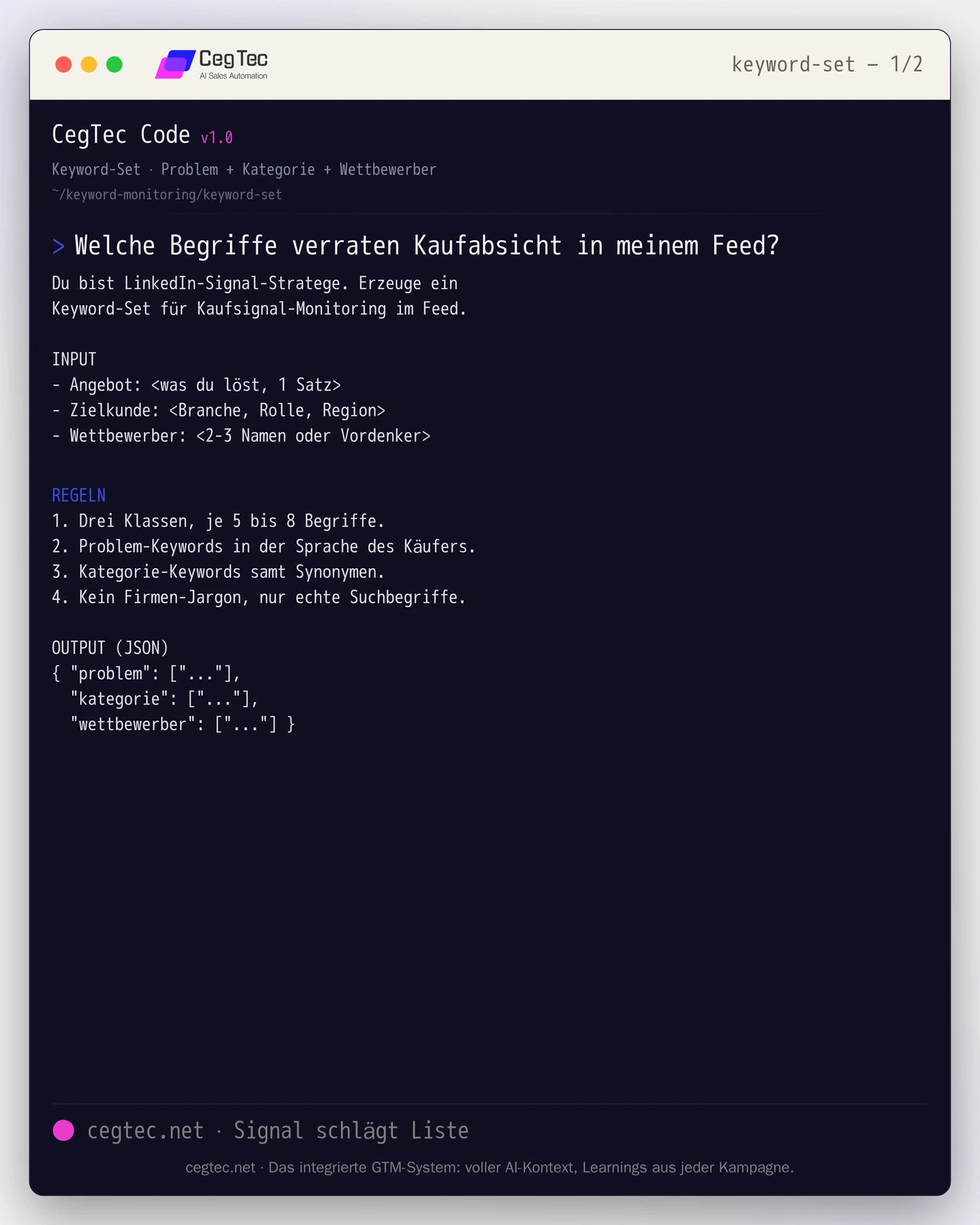
Takes offer, target customer and competitors and returns three keyword classes: problem, category, competitor. The starting point for the feed scan from step 1.
You are a LinkedIn signal strategist. Generate a
keyword set for buying-signal monitoring in the feed.

INPUT
- Offer: <what you solve, 1 sentence>
- Target customer: <industry, role, region>
- Competitors: <2-3 names or thought leaders>

RULES
1. Three classes, 5 to 8 terms each.
2. Problem keywords in the buyer's language.
3. Category keywords including synonyms.
4. No company jargon, only real search terms.

OUTPUT (JSON)
{ "problem": ["..."],
  "category": ["..."],
"competitor": ["..."] }2. Warm opener after engagement
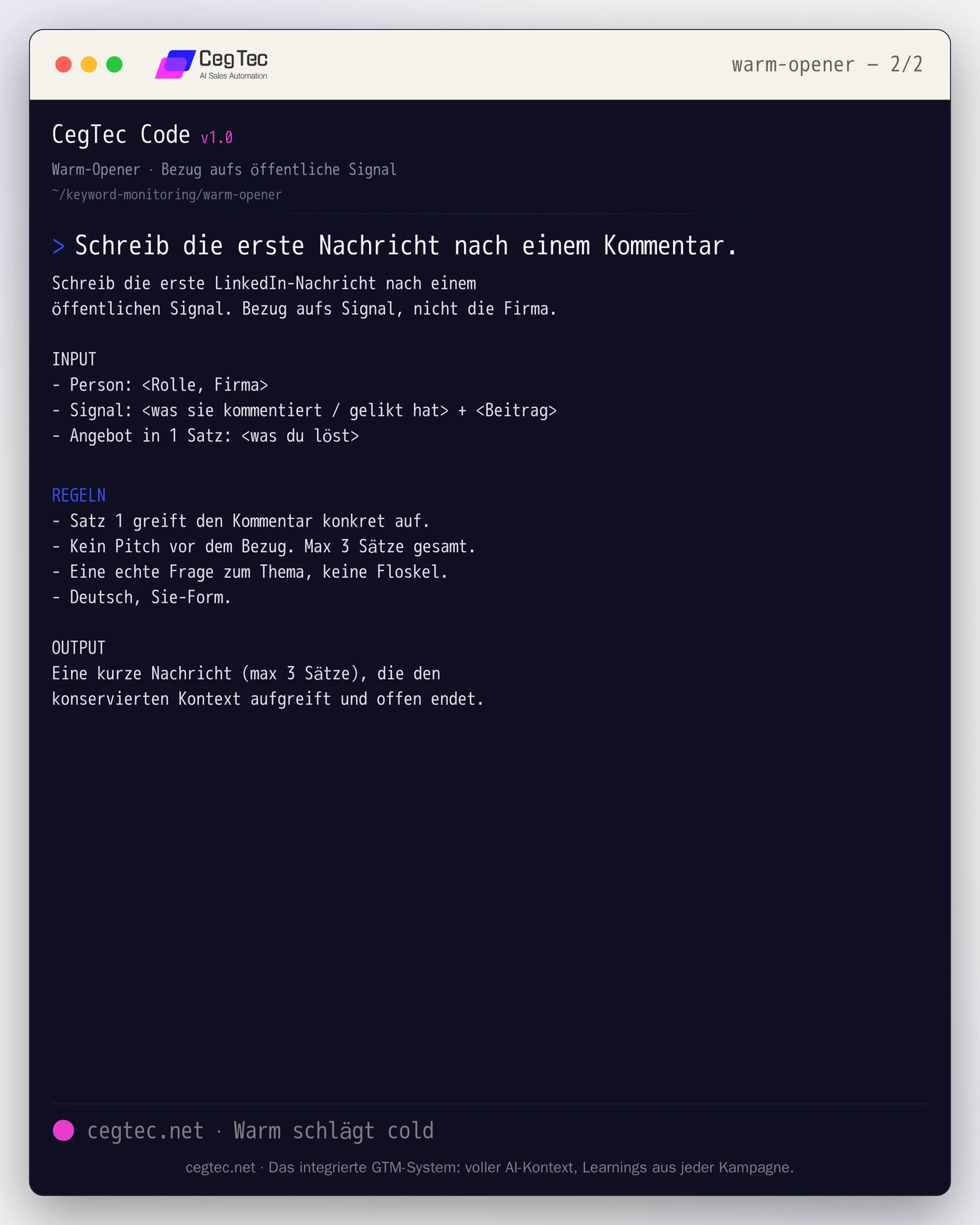
Forces the first line to pick up the person’s comment rather than the product. That is exactly the difference between warm and cold from step 4.
Write the first LinkedIn message after a public
signal. Reference the signal, not the company.

INPUT
- Person: <role, company>
- Signal: <what they commented / liked> + <post>
- Offer in 1 sentence: <what you solve>

RULES
- Sentence 1 picks up the comment concretely.
- No pitch before the reference. Max 3 sentences total.
- One genuine question on the topic, no filler.

OUTPUT
A short message (max 3 sentences) picking up the
preserved context and ending openly.How to generate pipeline with this (in the GTM stack)
The method above is tool-agnostic. In practice the loop distributes across five roles you fill with the GTM stack of your choice:
- LinkedIn signal source. A connected account supplies feed and search hits on your keywords plus the people reacting to them.
- Enrichment and resolution. An engager becomes a scored lead: company and domain are resolved, ICP fit and persona checked.
- Orchestration and decision. A layer holds the loop together, passes results on, applies your thresholds and puts messages up for approval.
- Outreach. The approved message goes out via LinkedIn, with email as a fallback for leads who do not respond there.
- CRM. Qualified leads and replies land where your sales team already works.
A category-agnostic orchestration layer such as GTM Goat can take the orchestration role and address the remaining roles by category rather than by fixed vendor. You connect your LinkedIn tool and your CRM instead of replacing them: the stack fills the categories you already use.
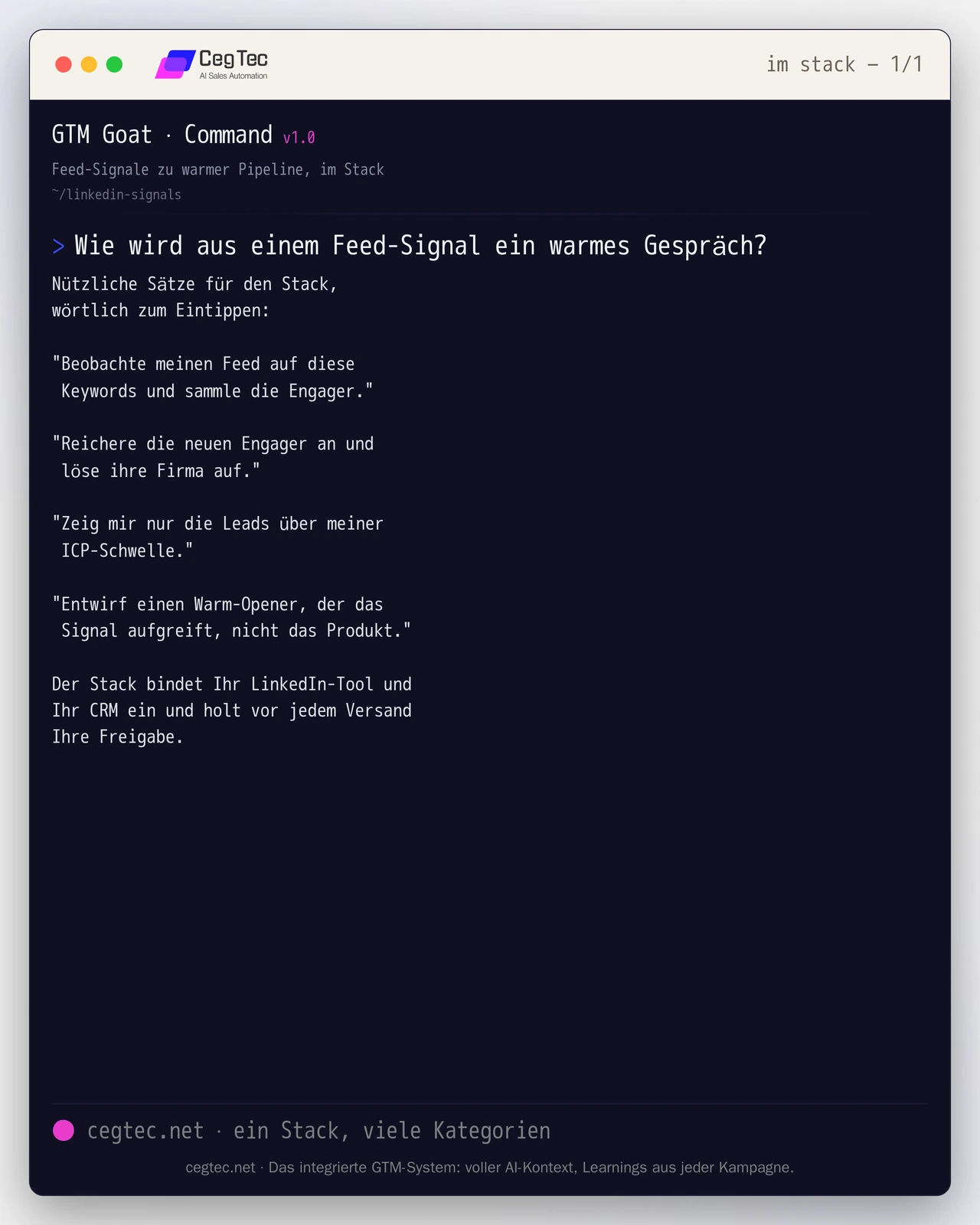
It is steered through the same chat interface, in full sentences. Four of them carry the loop from step 2 to step 4:
"Watch my feed for these keywords
 and collect the engagers."

"Enrich the new engagers and
 resolve their company."

"Show me only the leads above my
 ICP threshold."

"Draft a warm opener that picks up
the signal, not the product."How to connect the stack to your categories is in the quickstart.
Next step
If you would rather have this loop operated than build it yourself, we will show you how CegTec sets up keyword monitoring and warm outreach as a running system. Take a look at GTM Goat or talk to us about your channel mix.
Next step
GTM Goat runs exactly what you just read.