
Your own cold email infrastructure without vendor lock-in
Why your own domains and mailboxes beat an all-in-one vendor: trade-offs, setup principles for DNS, warmup, rotation — and the cost logic behind it.
Why infrastructure becomes a strategic question
Cold email stands or falls on a factor few people control: delivery. Whether a message lands in the inbox or in spam is decided not by the text but by the reputation of the sending domains and mailboxes. This is exactly where the difference lies between a system you own and one you rent.
Many teams start with an all-in-one platform that bundles sending, mailboxes and warmup into one package. Getting started is convenient. The price is dependency: your deliverability, your sender reputation and your historical data sit in a system you cannot leave without starting from zero. This article describes the alternative at the level of method and shows which trade-offs you should realistically weigh.
The core of the lock-in problem
Vendor lock-in in cold email is rarely a purely contractual problem. It arises on three levels:
- Reputation: your domains and IPs build trust with mailbox providers over weeks. If that build-up sits inside the vendor’s system, you do not take it with you when you switch.
- Data: delivery rates, bounce history, blocklist signals and reply behaviour are your most valuable deliverability knowledge. Without export it is lost.
- Configuration: sending logic, limits and routing are often modelled proprietarily and cannot be transferred one to one.
Your own infrastructure does not solve this automatically, but it shifts control to you. You own the domains, you hold DNS authority, and you can swap the sending layer without losing the reputation base.
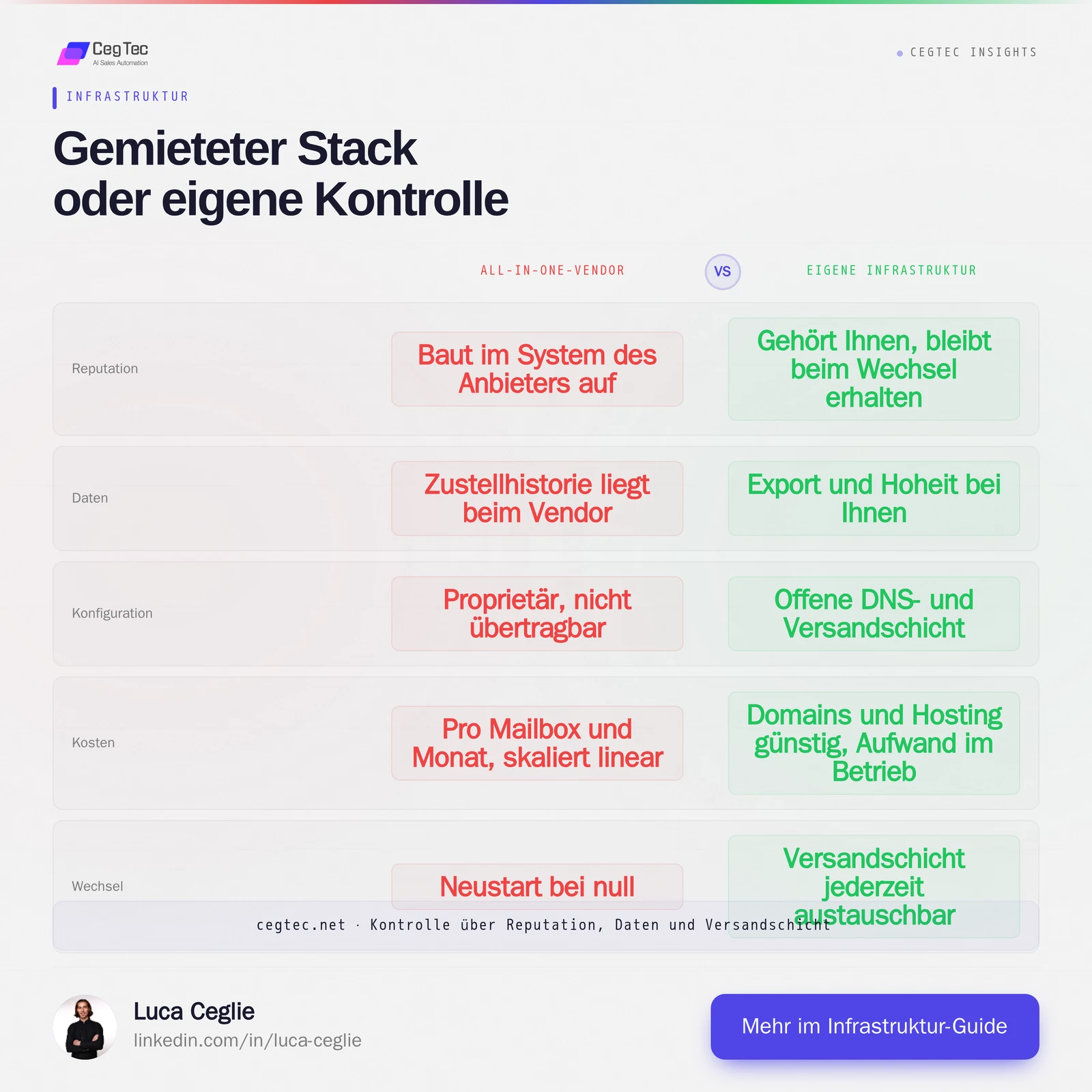
Reputation, data and configuration can be compared line by line: on the right the control you gain, on the left the dependency you avoid. Both models have their place; what matters is making the choice deliberately.
Your own domains and mailboxes as the foundation
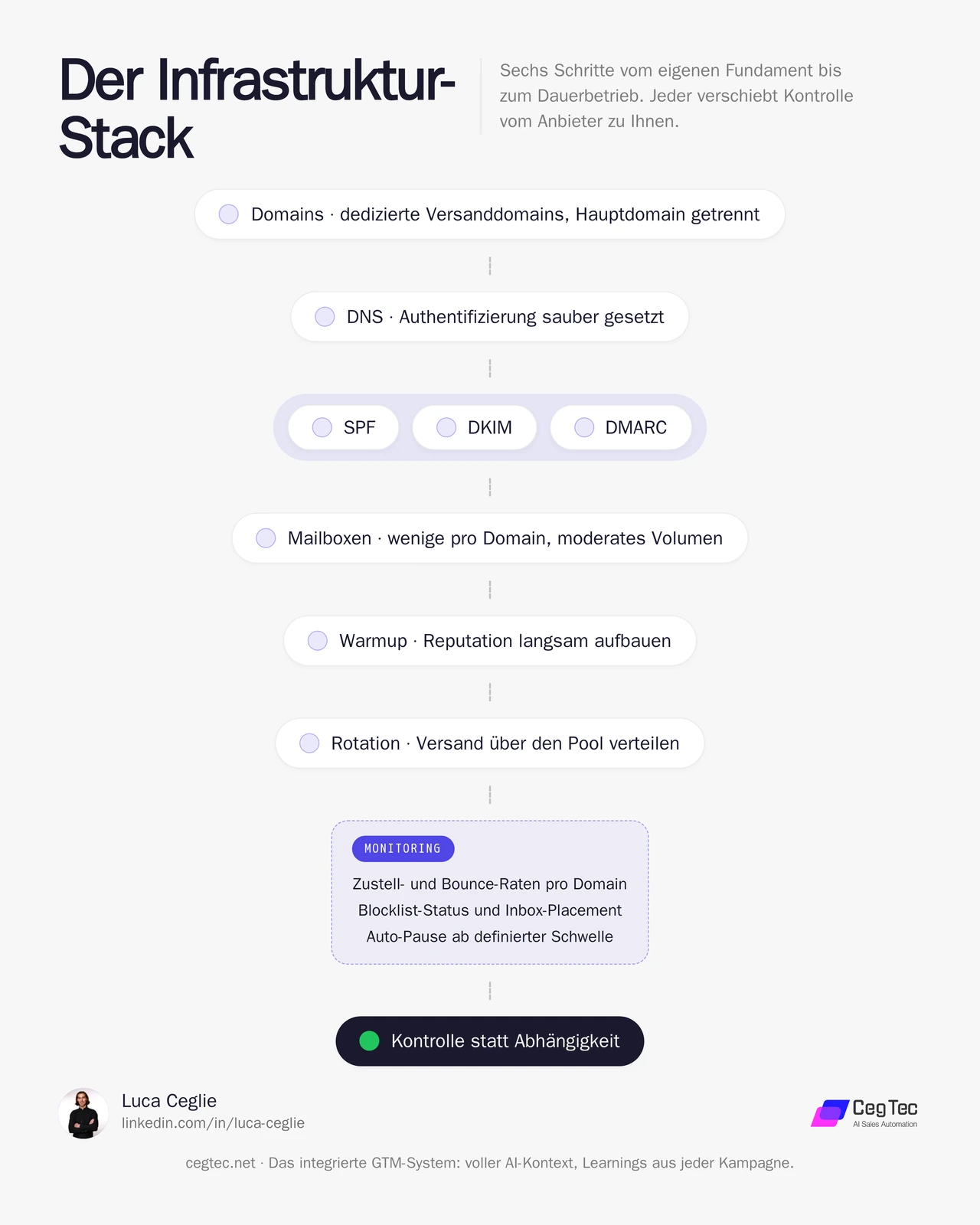
The sections below walk this stack from top to bottom: first the foundation of domains and DNS, then the operation of warmup and rotation, and finally the continuous monitoring.
The basic principle: separate your main domain from cold email sending. Your core domain, which carries invoices and customer communication, never belongs in an outbound campaign. Instead you register dedicated sending domains, typically close variants of your brand, and run the actual mailboxes on those.
This separation protects your most important domain from reputation damage. If a sending domain fails, the damage is isolated and replaceable. Your core communication remains untouched.
Also spread the volume across several domains with a few mailboxes each rather than overloading one domain. Every individual mailbox sends only a moderate daily volume. That matches the pattern of real human communication more closely and keeps each domain’s reputation stable.
Setting up DNS correctly: SPF, DKIM, DMARC
Authentication is the entry ticket to the inbox. Three DNS standards form the basis, and all three must be set cleanly:
- SPF defines which servers may send in your domain’s name. A correct SPF record prevents your domain from being treated as unauthorised.
- DKIM signs every outgoing message cryptographically. The recipient can verify that the email was not altered in transit and really comes from your domain.
- DMARC ties SPF and DKIM into a policy and tells providers how to handle failed authentication. Start with a monitoring policy and tighten it step by step.
Correct MX records and clean reverse DNS belong to this as well. This configuration is not a one-off act but something you monitor permanently. A silent DNS error can tip an entire domain out of the inbox.
Warmup: reputation cannot be bought
A freshly registered domain has no reputation. Anyone sending at full volume immediately is classified as suspicious by the providers. Warmup is the process through which a domain gradually builds trust by sending small quantities at first and generating positive interaction signals such as opens and replies.
The principles:
- Start with very few emails per day and increase the volume slowly over several weeks.
- Create positive signals: replies and marked importance weigh more heavily than delivery alone.
- Keep warmup running as background noise after launch so reputation does not decay again.
Warmup cannot be meaningfully shortened. Run the ramp too steeply and you burn the domain before the first real campaign runs.
Rotation and volume control
Once several domains and mailboxes are ready, rotation becomes the lever. Instead of maxing out one mailbox, you spread sending across the whole pool. Every mailbox stays below its safe daily limit, and total volume scales through the breadth of the pool rather than through the load on individual accounts.
Rotation also distributes risk. If a domain shows weakness, you take it out of the active pool without stopping the campaign. Spreading sends across the day and pausing at weekends reinforces the human-like pattern further.
Monitoring as continuous operation
Your own infrastructure means your own responsibility for monitoring. Without it, you only notice something is broken when reply rates fall — and by then the damage is usually done. Watch continuously:
- Delivery and bounce rates per domain, to catch outliers early.
- Blocklist status of your domains and sending IPs.
- Inbox placement via seed tests showing whether emails land in the inbox or in spam.
- Authentication reports from DMARC, which surface silent configuration errors.
Define thresholds at which a domain is paused automatically. That way the system acts before a single problem infects the whole pool.
Two prompts for your own stack
Two building blocks of the setup can be captured as reusable prompts: DNS authentication, and the warmup plus rotation schedule. Both are deliberately generic. Copy them, enter your own domains and target volume, done.
1. Check DNS records: SPF, DKIM, DMARC
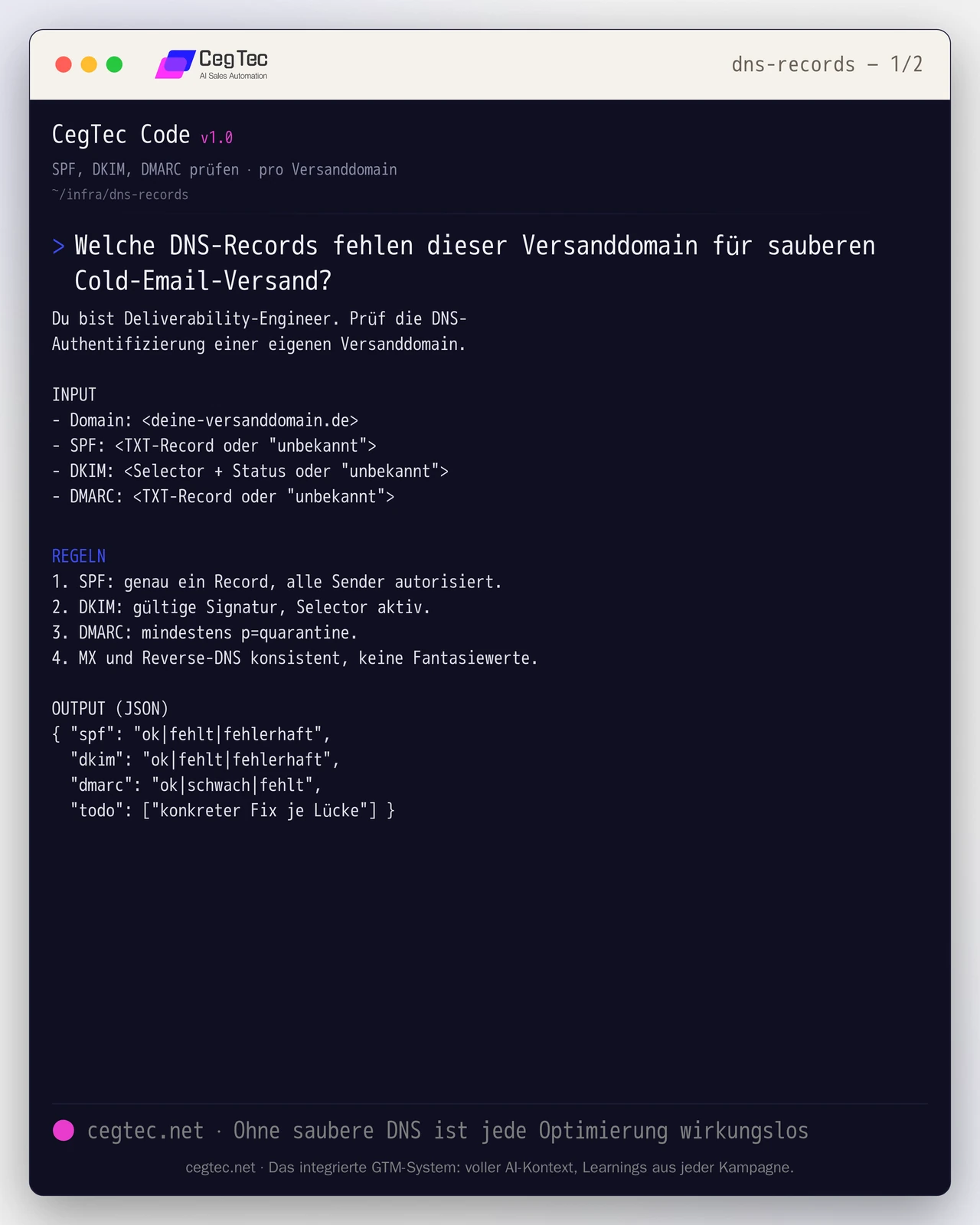
How to use it: enter the existing TXT records per sending domain, give the prompt to a language model, and work through the todo list until all records read ok. The prompt invents no values; it only assesses the input.
You are a deliverability engineer. Check the DNS authentication of your own sending domain.

INPUT
- Domain: <your-sending-domain.com>
- SPF: <TXT record or "unknown">
- DKIM: <selector + status or "unknown">
- DMARC: <TXT record or "unknown">

RULES
1. SPF: exactly one record, all senders authorised.
2. DKIM: valid signature, selector active.
3. DMARC: at least p=quarantine.
4. MX and reverse DNS consistent, no invented values.

OUTPUT (JSON)
{ "spf": "ok|missing|broken",
  "dkim": "ok|missing|broken",
  "dmarc": "ok|weak|missing",
"todo": ["concrete fix per gap"] }2. Warmup and rotation schedule
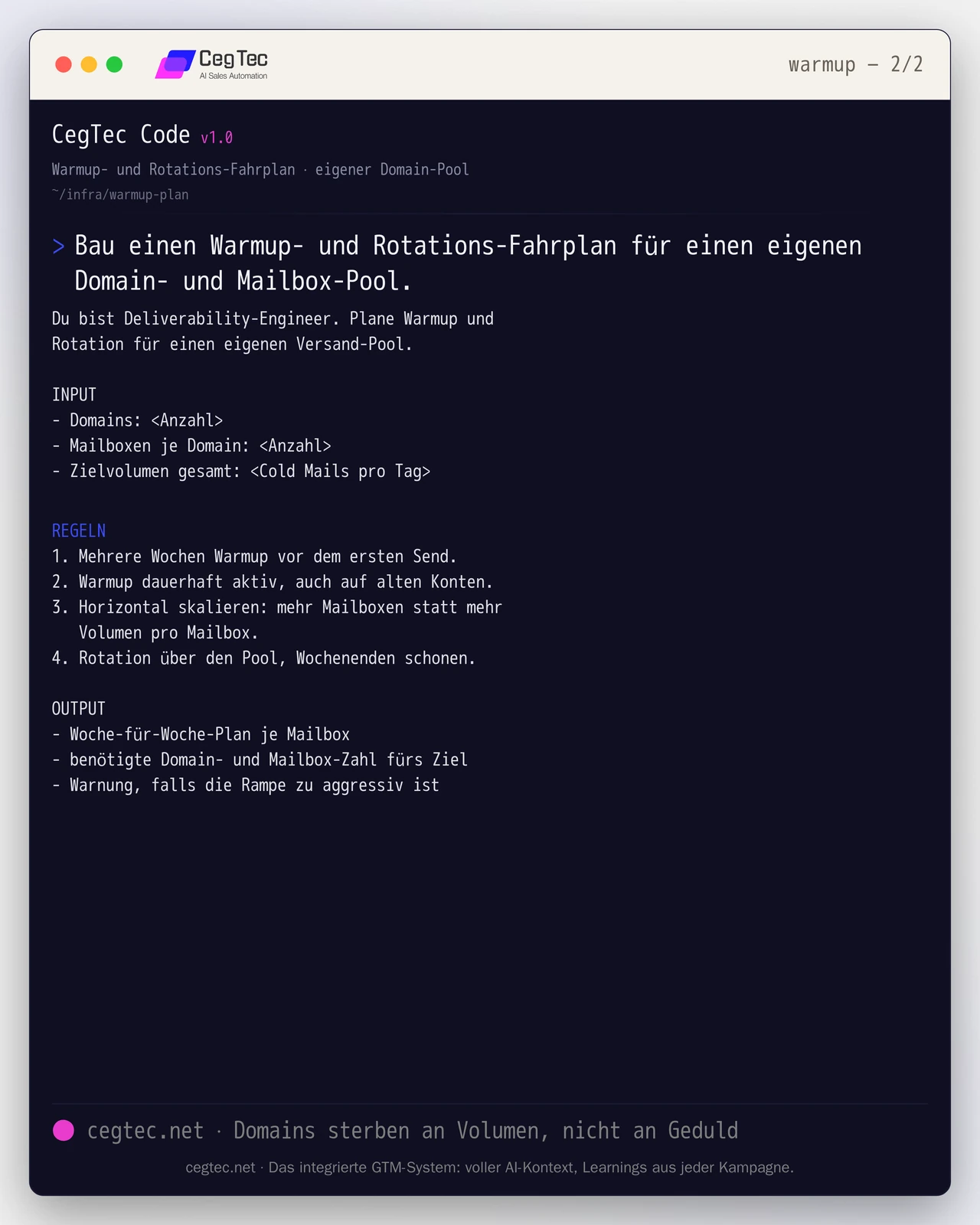
How to use it: state the number of your domains and mailboxes plus your target volume. The prompt calculates back how broad your pool must be and warns you if the ramp gets too steep. Keep warmup permanently active afterwards.
You are a deliverability engineer. Plan warmup and rotation for your own sending pool.

INPUT
- Domains: <count>
- Mailboxes per domain: <count>
- Total target volume: <cold emails per day>

RULES
1. Several weeks of warmup before the first send.
2. Warmup permanently active, including on old accounts.
3. Scale horizontally: more mailboxes instead of more volume per mailbox.
4. Rotate across the pool, go easy at weekends.

OUTPUT
- Week-by-week plan per mailbox
- required domain and mailbox count for the goal
- warning if the ramp is too aggressiveThe cost logic behind it
The cost comparison often turns out differently than expected. All-in-one vendors usually charge per mailbox per month, which becomes linearly more expensive as volume grows. Your own infrastructure shifts the costs: domains and mailbox hosting are comparatively cheap; the effort sits in setup and operation.
As a rough industry order of magnitude: domain registration sits in the low double-digit euro range per year, mailbox hosting in the low single digits per mailbox per month. These figures are only a rough orientation and vary significantly by provider and region. The real cost factor is not the hosting but the time for setup, warmup and ongoing monitoring.
The honest calculation is therefore: your own infrastructure lowers running platform costs and gives you control, but demands competence and operational discipline. For small, occasional campaigns a vendor can remain sensible. From the point where deliverability becomes strategic and volume scales, the value of owning the infrastructure outweighs it.
How to generate pipeline with this (in the GTM stack)
Your own sending infrastructure is not an end in itself; it is the foundation on which a campaign generates pipeline at all. In a GTM stack every layer takes a clearly bounded role:
- Your own sending infra as the foundation: your domains, mailboxes and DNS authority carry every send. Without that base, every optimisation is ineffective.
- Data and signal: target accounts, contacts and buying signals supply the reason for who you approach and when.
- Enrichment: missing attributes are filled in so outreach becomes relevant instead of generic.
- Orchestration and decision: a layer controls which domain sends, when rotation happens and which mailbox pauses.
- CRM: replies and outcomes flow back into your system of record and close the loop.
A category-agnostic orchestration layer such as GTM Goat sits on top of your own infrastructure and addresses the remaining roles by category rather than through hard-wired vendors. Stack and infrastructure stay in your hands, and no lock-in arises: you can change the sending layer without rebuilding the orchestration, and change the orchestration without giving up your domains.
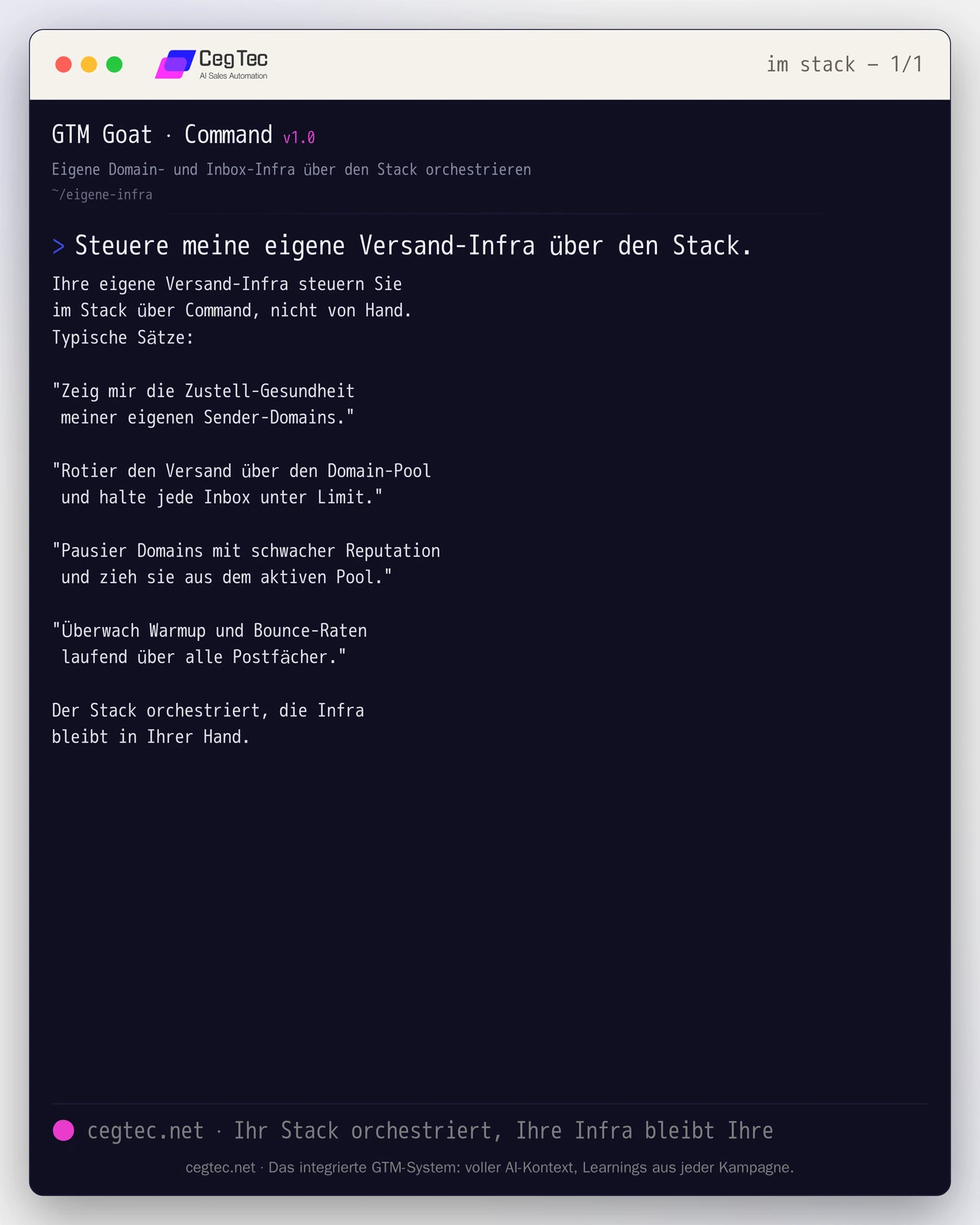
In practice you operate this orchestration through a few spoken commands rather than manual clicks. The sentences below show how such a layer addresses, rotates and monitors your own domain and inbox infrastructure:
You steer your own sending infra in the
stack via Command, not by hand.
Typical sentences:

"Show me the delivery health of
 my own sender domains."

"Rotate sending across the domain pool
 and keep every inbox under its limit."

"Pause domains with weak reputation
 and pull them from the active pool."

"Monitor warmup and bounce rates
 continuously across all mailboxes."

The stack orchestrates, the infrastructure
stays in your hands.The quickstart shows how such a stack is set up from the first domain to live sending.
Conclusion
Your own cold email infrastructure is not an end in itself but a decision for control: over reputation, over data, and over the freedom to change the sending layer at any time. The price is responsibility for DNS, warmup, rotation and monitoring. Anyone with that discipline builds a system that grows with the company instead of tying it to a vendor.
Would you rather not run these principles yourself but use them as a system that handles deliverability, rotation and monitoring automatically? Take a look at GTM Goat or talk to us.
Next step
GTM Goat runs exactly what you just read.